Workflow Automation in Business: Benefits, Examples & Technologies
17 December 2025
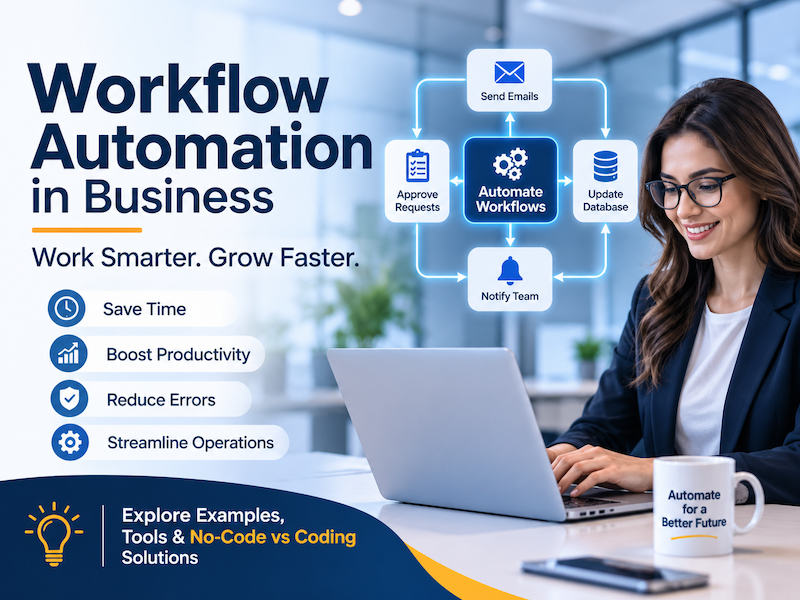
Modern businesses cannot afford to waste valuable time on repetitive administrative tasks. Workflow automation helps organizations simplify operations, connect business systems, reduce manual work, and create more efficient processes. Discover how workflow automation works, where businesses can use it, and how the right technology can transform everyday operations.
Business Automation | Custom Software Development | Digital Transformation
Every business has processes that require repeated actions. Employees receive customer inquiries, prepare quotations, update spreadsheets, assign tasks, send emails, generate reports, manage approvals, and follow up with clients. Although these activities are necessary, handling everything manually can consume significant time and resources.
As a business grows, its operational complexity increases. A process that works perfectly for five customers may become difficult to manage when the business starts handling hundreds of customers every month.
This is where workflow automation in business becomes valuable. Instead of depending entirely on manual activities, businesses can use software, integrations, and automated rules to execute repetitive tasks, move information between departments, and trigger actions based on predefined conditions.
Workflow automation is not simply about replacing human effort. It is about helping people focus on more important activities while technology handles repetitive and predictable operations.
Workflow automation is the process of using software and technology to execute a sequence of business activities automatically based on predefined rules, conditions, and triggers.
A workflow describes how a task moves from one step to another. Automation makes some or all of those steps happen without requiring someone to manually initiate every action.
For example, when a customer submits an inquiry through a website, an automated workflow can:
All these activities can happen through a connected automated workflow. Employees only need to handle the parts that require human judgment, communication, or decision-making.
Effective workflow automation can improve operational efficiency, create better customer experiences, and give business owners greater control over their daily operations.
Automate repetitive activities such as data entry, notifications, report generation, and task assignments so employees can focus on productive work.
Reduce avoidable human errors by using predefined rules, standardized data entry, and consistent process execution.
Handle increasing customer volumes and operational workloads without making every process dependent on additional manual effort.
Send automated updates, reminders, alerts, and notifications to the right people at the right stage of a business process.
Track task progress, approvals, customer requests, and pending activities through a centralized management system.
Respond faster, provide consistent updates, and reduce unnecessary delays throughout the customer journey.
Workflow automation can be applied to almost every department of an organization. The following examples demonstrate how businesses can use automation to simplify everyday operations.
Automatically capture leads from website forms, landing pages, and advertising campaigns. Store customer information in a CRM, assign sales representatives, and schedule follow-ups.
When a new employee joins, automatically create onboarding tasks, notify HR, share documents, assign training activities, and track completion.
Generate invoices, send payment reminders, update payment statuses, and notify the finance team when transactions are completed or overdue.
When a customer places an order, automatically update inventory, notify the fulfillment team, generate order confirmations, and trigger delivery processes.
Create tasks automatically when a project reaches a particular stage, assign team members, set deadlines, and send progress reminders.
Monitor inventory levels and trigger low-stock alerts when product quantities reach predefined thresholds. Create purchase requests for approval.
Automatically categorize support requests, assign tickets to appropriate departments, send acknowledgment messages, and escalate unresolved issues.
Automate approval requests for expenses, purchases, leave applications, quotations, and other internal business decisions.
Collect data from connected systems, prepare periodic reports, and distribute business performance summaries to management.
Automatically schedule confirmations, send appointment reminders, update calendars, and create follow-up tasks after meetings.
Workflow automation is powered by different technologies working together. The right technology stack depends on business requirements, existing systems, integration needs, security expectations, and the complexity of the workflow.
Application Programming Interfaces (APIs) allow different software applications to exchange information and communicate with each other.
For example, a website can send customer information to a CRM, a payment gateway can update an order's payment status, and an accounting application can receive transaction information from an eCommerce system.
APIs are essential for building connected business workflows across multiple platforms.
Webhooks allow one application to notify another application when a particular event occurs. Instead of continuously checking for updates, a system can react when an event happens.
For example, when a customer completes a payment, the payment provider can send an event to your application. Your system can then confirm the order, update its status, and notify the relevant team.
Databases store the information required to execute and monitor automated workflows. Backend systems process business rules, validate information, manage permissions, and determine what action should happen next.
Technologies such as PHP, Laravel, Node.js, Python, MySQL, PostgreSQL, and cloud databases can be used depending on the application's architecture.
No-code and low-code platforms help businesses connect applications and create automated workflows through visual interfaces, predefined triggers, and configurable actions.
Tools such as Zapier, Make, and n8n can be useful for connecting popular business applications and automating common processes without building every integration from scratch.
AI can extend traditional workflow automation by helping systems understand information, classify requests, summarize documents, extract data, and support decision-making.
For example, an AI-powered workflow can analyze incoming customer messages, identify their intent, categorize support requests, and direct them to the appropriate department. Important decisions should still have appropriate human review and safeguards.
Cloud infrastructure makes it possible to run automated workflows continuously without depending on an individual employee's computer. Email services, SMS gateways, push notifications, and messaging integrations can deliver updates to customers and employees.
A successful automation system does not necessarily require every available technology. The objective is to select the simplest reliable architecture that meets the business requirements today while allowing room for future growth.
One of the most important decisions when implementing business automation is choosing between a no-code platform and a custom-coded solution.
Both approaches can deliver significant value, but they serve different business needs. Understanding their differences helps organizations choose the right solution.
| Comparison | No-Code Automation | Custom-Coded Automation |
|---|---|---|
| Development | Visual builders and predefined actions | Programming and custom development |
| Implementation Speed | Often faster for standard workflows | Depends on complexity and requirements |
| Customization | Limited by platform capabilities | Highly flexible and customizable |
| Complex Logic | Best for supported integrations and rules | Can support complex business logic |
| Scalability | Depends on platform limits and pricing | Can be architected for specific growth needs |
| Maintenance | Often managed through the platform | Requires development and technical maintenance |
| Best For | Standard, straightforward workflows | Unique, complex, and business-critical processes |
No-code automation is a practical choice when your business needs to connect commonly used applications, automate simple notifications, synchronize data, or create straightforward workflows.
For example, you might connect a website form to Google Sheets, send an email notification when a new lead arrives, or automatically create a task in a project management application.
Custom development becomes valuable when your business needs specialized functionality, complex approval rules, custom dashboards, advanced permissions, multiple system integrations, or complete control over its business processes.
For example, a company may need an integrated business management system that connects its HRM, CRM, accounting, inventory, sales, and reporting modules. A custom-coded solution can bring these processes together under one architecture.
Absolutely. A hybrid approach can be highly effective. A business can use no-code tools for simple integrations while using custom software for its core operations, specialized workflows, and sensitive business logic.
The best choice is not always the most technically advanced solution. It is the approach that provides the right balance of flexibility, cost, security, maintainability, and long-term value.
Off-the-shelf automation tools are useful, but every business has its own operational structure. Sometimes existing platforms cannot support the exact workflow a company needs.
Custom software development allows businesses to build automation around their actual processes rather than changing their operations to fit the limitations of a particular platform.
Build automation rules according to your company's unique operational requirements, approval structures, and business policies.
Integrate CRM, HRM, ERP, accounting, eCommerce, payment gateways, and third-party applications into connected workflows.
Give employees and managers access to business processes through responsive web dashboards and mobile applications.
Implement role-based permissions, authentication, audit logs, and appropriate security controls for sensitive operations.
Monitor tasks, sales activities, operational performance, pending approvals, and business reports from a centralized platform.
Extend your automation system as your organization introduces new departments, services, workflows, and business requirements.
Successful automation starts with understanding your existing operations. Automating an inefficient process without improving it can simply make inefficiency happen faster.
Find activities that consume significant employee time, involve repeated data entry, or require frequent manual follow-ups.
Document each step, identify responsible employees, understand dependencies, and determine where delays or errors occur.
Evaluate whether a no-code platform, custom-coded application, or hybrid architecture is appropriate for your requirements.
Build the workflow, connect relevant systems, configure automation rules, and implement security and error-handling mechanisms.
Test normal scenarios, exceptions, failed integrations, duplicate events, and user permissions before going live.
Measure performance, collect employee feedback, monitor errors, and continuously improve the automated workflow.
Implementing automation is only the beginning. Businesses should evaluate whether their new workflows are actually improving operations.
Consider measuring these key performance indicators (KPIs):
Comparing these metrics before and after implementation helps management understand the actual business value of automation and identify opportunities for further improvement.
Business automation is evolving beyond simple rule-based processes. Artificial intelligence is making it possible to create workflows that can interpret information, recognize patterns, process unstructured documents, and assist employees with more complex tasks.
AI-powered automation can support activities such as:
However, AI should not be treated as a replacement for every business decision. Financial approvals, sensitive customer operations, legal matters, and other high-impact decisions may require human supervision, validation, and clear accountability.
The future of business automation lies in combining reliable software architecture, intelligent AI capabilities, and human expertise.
Every business deserves technology that solves real operational challenges. At Twintech Soft, we believe software should do more than simply digitize existing activities. It should help businesses work smarter, improve productivity, and create opportunities for sustainable growth.
Whether you need a straightforward workflow integration or a complete custom business management platform, choosing the right development approach is essential.
Develop business applications tailored to your operational requirements, processes, and long-term goals.
Connect your existing applications and create efficient data-sharing and automation processes.
Build connected digital platforms that make business operations accessible across devices.
Explore practical AI integration to support information processing, customer communication, and business productivity.
Our approach begins with understanding your business challenges. We help identify the processes worth automating, evaluate suitable technologies, and develop solutions that align with your business objectives.
A common example is automated lead management. When someone submits a website inquiry, the system records their information, sends a confirmation email, notifies the sales team, and creates a follow-up task automatically.
Yes. Small businesses can automate customer inquiries, appointment reminders, invoice notifications, task assignments, and other repetitive activities. Starting with a few high-value workflows can provide meaningful operational benefits.
Workflow automation generally focuses on automating a sequence of related tasks. Business Process Automation (BPA) often covers broader business processes that may involve multiple workflows, departments, and systems. The terms can overlap depending on context.
No. Many no-code platforms allow users to create workflows through visual interfaces. However, custom development may be necessary for specialized business logic, advanced integrations, or complex operational requirements.
Popular options include Zapier, Make, and n8n for workflow integration. Developers may also use APIs, webhooks, backend technologies, databases, and cloud services to build custom automation systems.
Yes. Depending on the available integration methods, automation can connect CRM, HRM, ERP, accounting, eCommerce, payment, email, and other business applications through APIs, webhooks, and integration platforms.
Neither approach is universally better. No-code is often suitable for standard integrations and straightforward workflows, while custom development is useful for unique requirements, complex logic, and greater control over system architecture.
The cost depends on the number of workflows, integration complexity, third-party services, security requirements, and whether you choose a subscription-based platform or custom software development. A requirement assessment is the best way to estimate the investment.
Workflow automation is becoming an important part of modern business operations. From managing customer inquiries and processing orders to handling employee tasks and generating reports, automation helps organizations reduce repetitive work and improve operational consistency.
Whether you choose no-code tools, custom-coded software, or a combination of both, the most important step is identifying the processes that genuinely need improvement.
Technology should support your business goals, not make your operations unnecessarily complicated. Start with the right problem, choose the right solution, and build a system that can grow alongside your business.
Ready to simplify your business operations with smarter technology? Let's discuss your ideas and explore how custom software development, workflow automation, and intelligent integrations can help your business move forward.
Twintech Soft | Custom Software Development & Digital Solutions
17 December 2025

27 August 2023